Interactive MD in Your Browser: Getting Started with Forblaze MD Sandbox
Have you ever wanted to "touch" molecules? Forblaze MD Sandbox is an interactive simulation tool where you can manipulate atoms in real-time and observe how they respond to temperature and forces.
What is MD Sandbox?
Unlike professional tools meant for heavy analysis, MD Sandbox is designed for intuition and education. It runs a real-time Lennard-Jones or Water simulation right in your browser using WebGPU.
Fun Things to Try
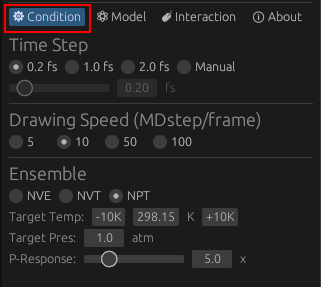
1. Heat it up and Cool it down
Use the temperature slider to see the phase transition between solid, liquid, and gas. Notice how the arrangement of atoms becomes chaotic as you increase the energy.
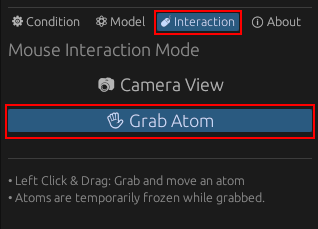
2. Grab and Pull Atoms
Open the [Interaction] tab and switch to [Grab Atom]. Now you can drag atoms in the 3D view. See how the surrounding atoms react to your “tug.”
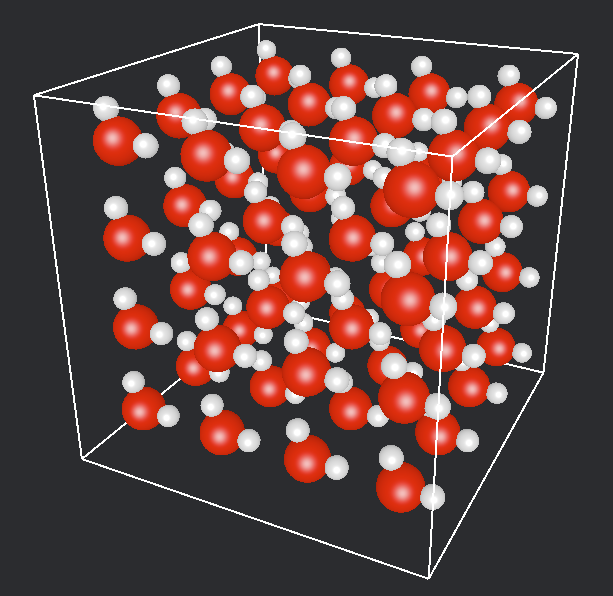
3. Change Models
Switch between simple atomic fluids and water models. Observe how hydrogen bonds affect the behavior of the liquid.
Technical Background
Everything you see is computed on your GPU. By using WebGPU, we can simulate thousands of particles at 60 FPS while solving the equations of motion in real-time.
Summary
MD Sandbox is a great way to build an intuitive understanding of molecular behavior. It’s completely free and runs on any modern browser.
Start the MD Sandbox
Web apps work directly in your browser with no setup required.
Launch MD Sandbox