Quickly Visualize LAMMPS Trajectories in Your Browser
Analyzing LAMMPS trajectory files often involves heavy software like VMD or OVITO. Forblaze Mol allows you to check your simulation results instantly in your browser without any installation.
Benefits of Browser-Based LAMMPS Visualization
Traditional LAMMPS visualization tools require software installation. Forblaze Mol uses the latest WebGPU technology, allowing you to comfortably handle data with tens of thousands of atoms just by opening your browser.
- No installation required: Works anywhere with a browser.
- Secure local processing: Files are processed on your PC and never uploaded to a server, keeping your sensitive data safe.
- Completely free: All features are available at no cost.
1. Loading Files (Multiple Selection Supported)
Open Forblaze Mol and click “Open Simulation File”. For LAMMPS, you can load data, dump, in, and log files. You don’t need all four; the tool can load them individually or in combination.
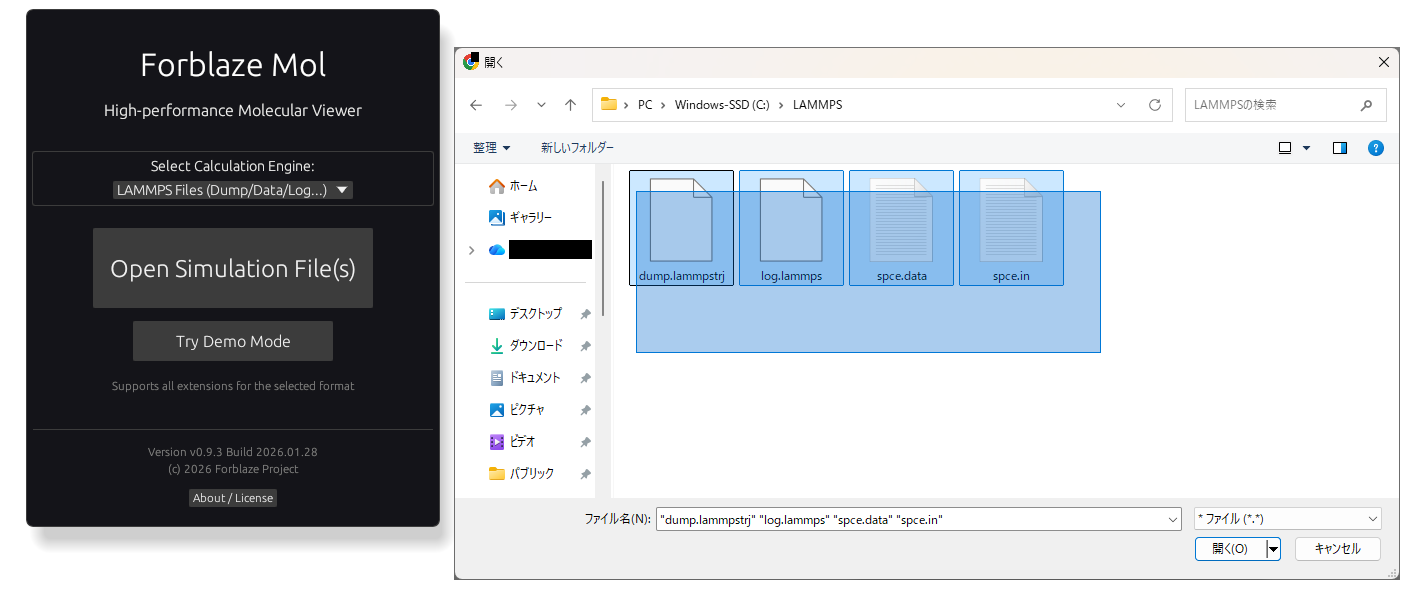
A key feature is the ability to select and load multiple files at once. The tool automatically identifies the formats and skips unsupported files, so you can simply select all related files and load them together.
2. Post-Loading Settings
After loading, the app automatically scans the content and identifies the file formats.
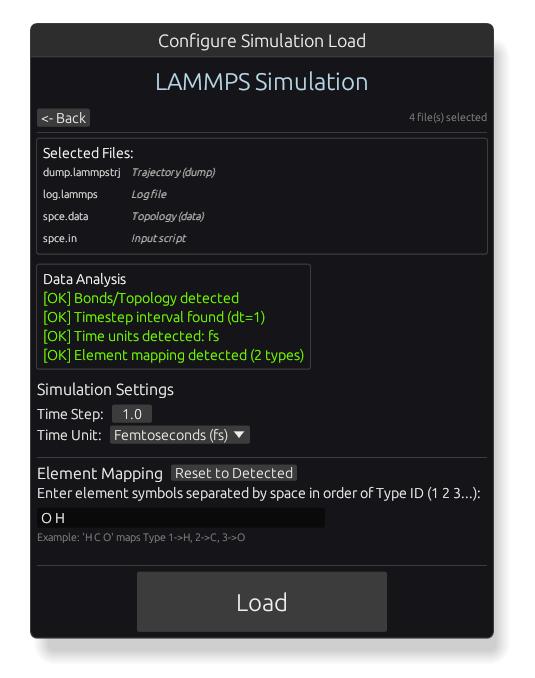
If essential information (like element mapping) is missing, you’ll be prompted to provide it, though most basic info is auto-filled. Once set, click “Load” to enter the 3D view.
3. 3D View Controls
Once loaded, the atomic model is displayed in the 3D view.
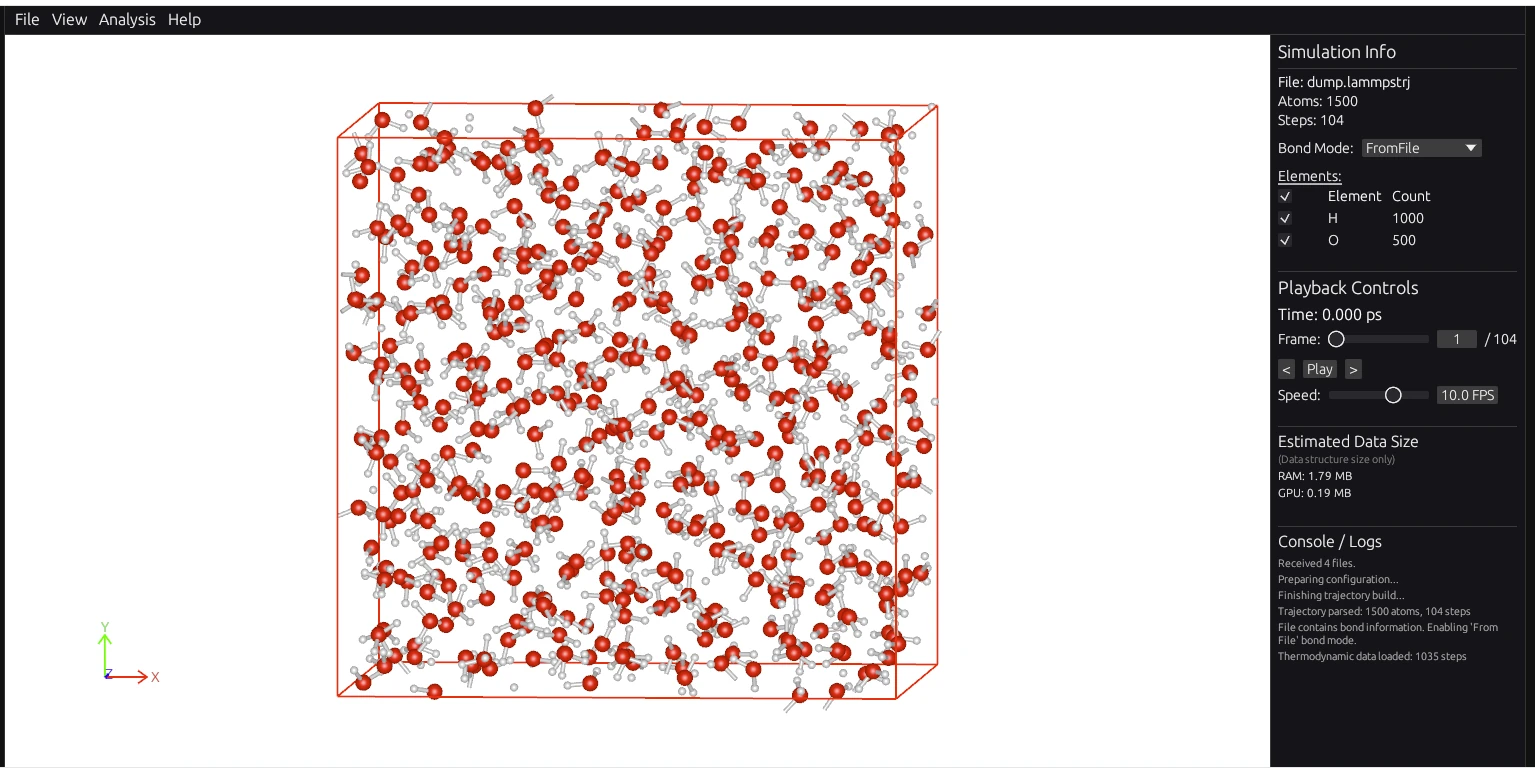
You can navigate easily using mouse controls:
- Left Drag: Rotate the model.
- Right Drag: Pan (translate).
- Scroll Wheel: Zoom in/out.
4. Trajectory Playback
If you’ve loaded trajectory data (like a dump file), you can watch the atoms move over time.
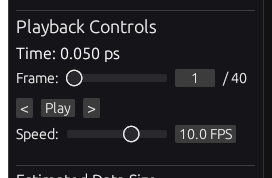
Click the “Play” button in the information panel or use keyboard shortcuts: space to play/pause, and arrow keys to move through frames.
5. Dynamic Bond Display
When analyzing reactive MD (e.g., ReaxFF), visualizing bond formation and breaking is crucial.

By selecting “Auto Dynamic” in the Bond Mode settings, the tool automatically generates bonds based on interatomic distances in real-time.
6. Thermodynamic Data Plots
Forblaze Mol can also directly read LAMMPS log files to graph thermodynamic quantities. You can even load a log file on its own without any dump files.
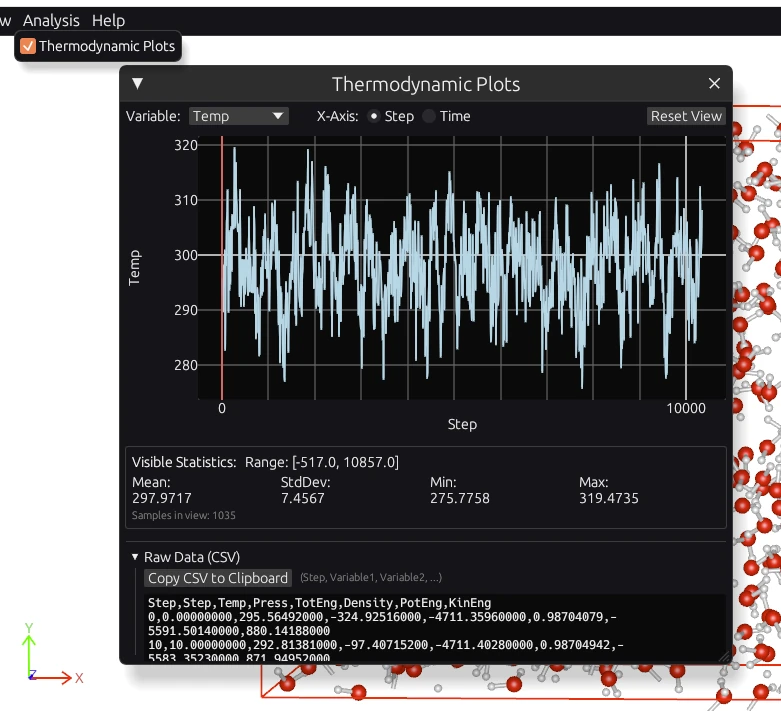
Enable “Thermodynamic Plots” from the “Analysis” menu to see energy, temperature, and pressure trends. This data can be copied to the clipboard as CSV, allowing for easy transfer to Excel for further analysis.
Summary
Forblaze Mol makes checking LAMMPS results smoother than ever. Features like automatic multi-file recognition and standalone log file graphing will significantly improve your simulation workflow.
Try it out with your own data today!
Visualize Your LAMMPS Results
Web apps work directly in your browser with no setup required.
Launch Forblaze Mol